

How to Track Home Delivery Status: 2026 Guide
Table of Contents
- How to Track Home Delivery Status: Step-by-Step
- Shipping Status Definitions: What Each Update Actually Means
- Package Delivery Delay Solutions: What to Do When Tracking Stalls
- Customer Service Order Inquiry: When and How to Reach Out
- Tracking Deliveries from Third-Party Carriers and Marketplaces
- Preventing Delivery Problems Before They Happen
- Frequently Asked Questions
Last Updated: September 14, 2026
How to Track Home Delivery Status: Step-by-Step
Knowing how to track home delivery status turns a vague wait into a predictable timeline. Every order generates two identifiers: an order number tied to your purchase record, and a tracking number tied to the physical parcel. This guide from M & R Homestead covers the exact steps, what each carrier scan means, and scenarios most help pages skip, including "delivered but not received."
The short version: open your confirmation email, click the tracking link, and read the scan history rather than the headline status.
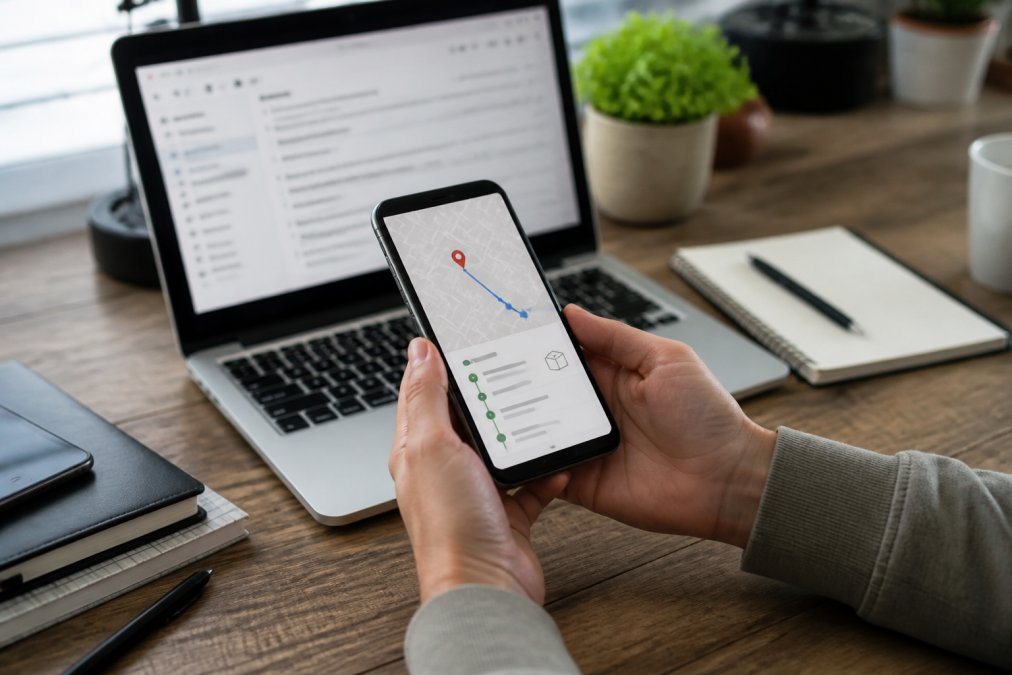
Step 1: Locate Your Order Number or Tracking Number
Your order number is the reference your retailer assigns at checkout, usually a prefix like "ORD" or a string of digits. Your tracking number belongs to the carrier and is generated when the shipping label is created. Find the order number in your confirmation email or account dashboard; the tracking number arrives in the shipment confirmation email, often a day later.
If you only have one, you can still track the package: retailers can look up a shipment from the order number alone, but carriers need the tracking number. A common mistake is pasting an order number into a carrier's portal and assuming "not found" means the parcel is lost, you're just using the wrong identifier.
Step 2: Use the Tracking Link in Your Confirmation Email
The tracking link in your shipment confirmation email is the fastest route: it opens the carrier's portal with the number pre-filled.
Two things trip people up. The link often goes live before the carrier scans the parcel, so "label created" with no movement for a day or two is normal. If the email never arrived, check spam or promotions and search the retailer's name plus "shipment" or "tracking", most missing emails are in a filtered folder.
Step 3: Check Your Account Dashboard or Purchase History
Your account dashboard is the most reliable single source because it aggregates every order. Log in, open your purchase history, and select the order to view shipment status, carrier, and tracking history without hunting through email.
It's also the best place to verify your shipping address on file. If a package goes astray, support's first question is whether the order address matches where you live; catching a typo here saves a week of back-and-forth.
Shipping Status Definitions: What Each Update Actually Means
Carrier status labels are written for logistics teams, not shoppers, which is why "in transit" can sit unchanged for four days without anything being wrong. Here's what the common terms mean.
In transit means the parcel is moving between carrier facilities; multi-day gaps are routine on long routes. Out for delivery means it's on a vehicle today and should arrive before the driver's shift ends. Delivered means the carrier recorded a drop-off, though not necessarily at your front door. Delivery exception signals a delay, an address problem, or a failed attempt, and usually comes with a reason code.
Estimated Arrival Date vs. Guaranteed Delivery Date
An estimated arrival date is a projection based on typical transit times and can shift. A guaranteed delivery date is a contractual commitment, usually tied to expedited services, entitling you to a refund or credit if missed. Most standard shipping comes with an estimate, not a guarantee, treating an estimate as a promise is the most common source of delivery anxiety.
Carrier Status Codes and Delivery Exceptions
Carriers use short alphanumeric codes that rarely appear in consumer-facing tracking but surface when you call support or use a detailed tracking view. They fall into three families: movement (departed, arrived), handling (sorted, loaded), and exception (weather delay, address issue, refused). If you see an exception, read the reason before calling: a weather delay needs patience; an address issue needs action.
Package Delivery Delay Solutions: What to Do When Tracking Stalls
A stalled status is usually a data lag, not a lost parcel. Carriers batch-scan at hub transfers, so a package can travel hundreds of miles between visible updates. Give it 48 hours past the estimated arrival date before worrying (USPS.com FAQs).
If the status hasn't moved in three or more business days and the estimated date has passed, take these steps in order:
- Confirm the shipping address on your order is correct
- Check the carrier's tracking portal directly, not the retailer's
- Look for a delivery exception code and read its reason
- Check your front door, porch, garage, and any secure drop spot
- Ask neighbors whether they received a misdelivered parcel
- Contact the carrier with your tracking number
- Contact the retailer with your order number if the carrier can't resolve it
Missing Tracking Information or No Updates for Days
No tracking information usually means the label was created but the parcel hasn't been scanned into the carrier's network yet. This is common during high-volume periods and typically resolves within two business days. If a week passes with no scan, contact the retailer, the shipment may never have left the warehouse, and the retailer owns that problem.
Delivered but Not Received: Package Recovery Steps
This scenario causes the most panic. A "delivered" scan means the carrier recorded a drop-off, but drivers sometimes leave parcels at the wrong door, hand them to a household member, or scan early and deliver later the same day.
Before filing a claim: wait until the end of the delivery day, check every entrance including side doors and back porches, look in any parcel locker, ask everyone in the household, then check immediate neighbors. If the parcel hasn't surfaced after 24 hours, contact the carrier for a driver follow-up and notify the retailer the same day. Many retailers replace or refund once the carrier confirms a misdelivery, but only if you report promptly.
Customer Service Order Inquiry: When and How to Reach Out
Contact support when tracking shows no movement for three or more business days past the estimate, when an unresolvable delivery exception appears, or when a parcel shows delivered but is missing. Otherwise, give the carrier time, a package that scanned in another state this morning is not a support issue yet.
Before reaching out, decide which party owns your problem. Getting that division wrong is why so many tickets stall in a loop.
Who Owns the Problem: Carrier vs. Retailer vs. Marketplace
- Before the first carrier scan, the retailer owns it. The label may exist, but the parcel hasn't entered the carrier's network. Only the retailer can confirm whether it actually left the warehouse.
- After the first scan, in transit, the carrier owns it. The retailer sees the same tracking data you do and has no more leverage than a phone call.
- After a 'delivered' scan, the carrier owns the investigation, but the retailer owns the resolution (replacement or refund). Report to both, same day.
- Marketplace orders, the marketplace's support team can pull the full carrier chain and often issues refunds faster than the individual seller will.
What to Have Ready Before You Contact Anyone
Support agents triage by evidence. Arriving with the right details turns a five-email thread into one resolution:
- Order number and tracking number (both, not one)
- Shipping address exactly as entered at checkout
- Current tracking status and the date and time of the last scan
- A screenshot of the tracking page showing the stall or exception
- What you've already checked: porch, side door, garage, mailbox, parcel locker, neighbors, household members
- The estimated delivery date shown on your order confirmation
Escalation Paths That Actually Move a Claim
If the first agent can't help, these channels tend to produce results:
- Carrier's online claim form. Most major carriers let you open a missing-package or lost-package investigation directly from the tracking page. This creates a case number you can reference later.
- Carrier's phone support with your case number. A live agent can request a driver follow-up on a 'delivered but not received' scan, which is the only way to confirm a misdelivery.
- Retailer's chat or email with the carrier case number attached. Retailers move faster on refunds and replacements when a carrier investigation is already open.
- Payment method dispute. If the retailer won't resolve a genuinely missing parcel and the carrier confirms it was never delivered, your card issuer's dispute process is the backstop. Use it last, not first.
Timing Windows You Should Not Miss
Claim windows are narrow and start from the 'delivered' scan, not the day you noticed the parcel was missing. Typically there's a 24-to-48-hour window for the carrier to open a misdelivery investigation, and a longer but still limited window (days, not weeks) for the retailer to issue a replacement (FedEx). Report the same day you notice a problem, waiting a week to 'see if it turns up' is the most common reason shoppers lose out.
Tracking Deliveries from Third-Party Carriers and Marketplaces
Marketplaces add a confusing layer. The seller may ship through a carrier the marketplace doesn't name upfront, and your tracking link may route through the marketplace's portal rather than the carrier's. The tracking number still works on the carrier's site if you can identify the carrier from the link.
Most tracking guides skip this. Retailer help pages assume one carrier, one tracking number, one portal, but real orders often involve a carrier handoff, a marketplace middleman, or a regional last-mile partner. Here's how to follow the parcel anyway.
How to Identify the Carrier from a Tracking Number
Tracking numbers are not random. Most major carriers use recognizable formats, and once you learn the patterns you can often identify the carrier before you click anything:
- All digits, 12 to 22 characters, most commonly a major national carrier. A 12-digit all-numeric string is typically a ground service; 20 to 22 digits often indicates a different service tier.
- Two letters, nine digits, two letters (e.g., XX123456789XX), an international postal-style format, often the final leg after a handoff from an overseas carrier.
- Starts with a '1Z' prefix, a well-known national carrier's format, followed by a specific character count.
- Long alphanumeric strings with mixed letters and digits, frequently a regional last-mile carrier or a marketplace's own logistics arm.
If the format doesn't match anything you recognize, paste the number into a universal tracking tool (see below) rather than guessing.
Universal Tracking Tools: One Number, Every Carrier
Universal tracking services accept a tracking number, auto-detect the carrier, and display the full scan history in one place, the fastest way to handle a multi-carrier shipment without knowing which carrier holds the parcel at any moment.
How to use them effectively:
- Copy the tracking number from your shipment email or marketplace order page.
- Paste it into a universal tracking tool. The tool identifies the carrier and pulls the current status.
- If the tool shows a handoff (for example, 'tendered to partner carrier'), copy the second tracking number it surfaces and track that one separately.
- Save the tracking URL so you can check it without re-entering the number.
Universal package tracking tool that supports multiple carriers
Following a Handoff Between Carriers
A single order can move through more than one carrier, with a handoff between them, and each leg has its own tracking number. The pattern looks like this:
- Leg 1: The originating carrier moves the parcel across the country and scans it at a regional hub.
- Handoff: The first carrier's tracking ends at 'tendered to partner carrier' or 'transferred to local carrier.'
- Leg 2: A regional or last-mile carrier takes over and issues its own tracking number, which is often emailed separately or posted on the marketplace's order detail page.
If you can't find the second tracking number, the marketplace's support team can pull the full chain. Ask specifically for 'the last-mile tracking number', that phrasing gets you past the first carrier's data and into the leg that actually delivers to your door.
Marketplace-Specific Quirks
Marketplaces that aggregate third-party sellers often show a simplified status ('shipped,' 'on the way,' 'delivered') that lags the carrier's real scan data by hours or a day. When the two disagree, trust the carrier, the marketplace pulls data on a delay; the carrier generates it.
A second quirk: some marketplaces generate their own tracking numbers that only work inside the marketplace's portal. If a number returns 'not found' on every carrier site, it's likely a marketplace-internal identifier. Look for a separate carrier tracking number in the order detail page or the shipment email.
Preventing Delivery Problems Before They Happen
Prevention beats recovery every time, and a few habits eliminate most delivery headaches.
Set notification preferences to text or email alerts so you know the moment a parcel is out for delivery, and use a secure drop location if your porch is visible from the street. For high-value or weather-sensitive orders, a locking delivery box keeps parcels out of the rain and out of reach. M & R Homestead carries a wall-mounted locking metal mailbox built for exactly this, with a smart password lock and a chamber sized for parcels up to 14 x 4.5 x 7.6 inches, so a delivery doesn't sit exposed on your step.

Verify your address at checkout, every time. Autofill is convenient and occasionally wrong. And keep your confirmation and shipment emails until the order arrives. They hold both identifiers you'll need if anything goes sideways.
| Problem | Likely Cause | First Action |
|---|---|---|
| No tracking info | Label created, not yet scanned | Wait 2 business days, then contact retailer |
| Stalled "in transit" | Hub scan lag | Check carrier portal directly |
| Delivery exception | Address issue or weather | Read the reason code, then act |
| Delivered, not received | Misdelivery or early scan | Check all doors, neighbors, report within 24-48 hours |
Tracking a delivery shouldn't require detective work, but when a parcel stalls or vanishes, having the right steps ready makes all the difference. At M & R Homestead, we are dedicated to providing a fast, friendly, and customer-service-oriented shopping experience, so you always know where your order stands. From indoor furniture to gardening essentials and pet supplies, every order ships with tracking you can follow and a support team that answers when something goes wrong. Shop with M & R Homestead and get your next home upgrade delivered without the guesswork.
Frequently Asked Questions
How long does home delivery shipping take?
Delivery times vary by retailer and shipping method. Standard ground shipping within the contiguous U.S. typically takes 3-7 business days after dispatch. Expedited options can arrive in 1-3 business days. M & R Homestead provides fast shipping and sends a shipment confirmation with an estimated arrival date once your order leaves the warehouse. Factors like weather, carrier volume, and distance can affect transit times, so always check the tracking portal for the most current estimate.
What should I do if my delivery status hasn't updated in several days?
First, check the tracking link again after 24-48 hours; scans sometimes lag. If there is still no movement, look for a delivery exception notice in your account dashboard or confirmation email. Then contact the carrier directly with your tracking number. If the carrier cannot locate the parcel, reach out to the seller's customer support with your order number and request a package trace. Many delays resolve within a few days, but a formal inquiry starts the clock on a resolution.
How can I track a package without a tracking number?
Without a tracking number, start by logging into your account and checking your purchase history for the order reference. Look for a shipment confirmation email or SMS; the tracking link is often embedded there. If you checked out as a guest, search your inbox for the order confirmation and any follow-up shipping updates. You can also contact customer support with your order number, email address, and shipping address so they can pull up the shipment status for you.
What do the different shipping status terms mean?
Common terms include: 'Label created' means a shipping label was generated but the carrier hasn't scanned the parcel yet. 'In transit' indicates the package is moving through the carrier's network. 'Out for delivery' means it's on the truck for delivery that day. 'Delivered' means the carrier left it at the destination. 'Delivery exception' signals a delay, such as a missed delivery attempt or weather issue. Understanding these shipping status definitions helps you know when to act.